How to Respond to Google Reviews: Steps, Examples and Templates
Every reply is read by the next customer. Here is how to reply on a computer and on your phone, what to write for each star rating with example replies, what never to write, and how long Google takes to show your answer.
 By Yaro (Yaroslav Mykhailov), founder of ReputeMap · Updated
Reading this for your own business? See where it stands on Google right now. It's free, with no signup.
Live from Google · free · nothing is stored
To respond to a Google review, sign in with the Google account that manages your Business Profile, find your business on Google Search or Maps, open the reviews, pick one and click Reply. Thank happy customers by name and mention one detail they wrote. For a complaint, reply within a day, own the problem without arguing and take the fix offline. For a fake review, reply calmly and report it. Google checks your reply before it goes live, usually within 10 minutes.
Key takeaways
- Only a verified profile’s owners and managers can reply. The reply shows under the review as the owner’s response, and the reviewer is notified.
- Match the reply to the stars. 5★: thanks plus one detail. 4★: thanks, and fix the small gripe. 3★: credit what worked, own what didn’t. 1–2★: apologize, explain what changes, move it offline.
- Keep it short and specific. Two to four sentences. The same sentence under every review looks robotic, and Google names repetitive replies as a reason to reject them.
- Never argue in public, share a customer’s private details, add promos or links, or offer anything for changing or deleting a review.
- Speed comes from alerts, not willpower. If you only see reviews when you log in, the bad ones wait for weeks.
Jump to what you need:
| Your situation | Go to |
|---|---|
| Never replied before: where’s the button? | Step by step |
| Want to see what a good reply looks like | Examples by star rating |
| A 5-star review just landed | Positive templates |
| A 1–2 star review just landed | Negative templates |
| A review from someone who was never a customer | Fake review templates |
| Your reply isn’t showing | How long replies take |
| Want a reply written for you in 10 seconds | Free AI generator |
| Want to reply from your email or phone | Reply from email or phone |
| The review is in another language | Replying in other languages |
| Wondering if this even matters for ranking | Reviews & local SEO |
Prefer to watch? The three rules, where the Reply button is, and example replies to good, bad and fake reviews:
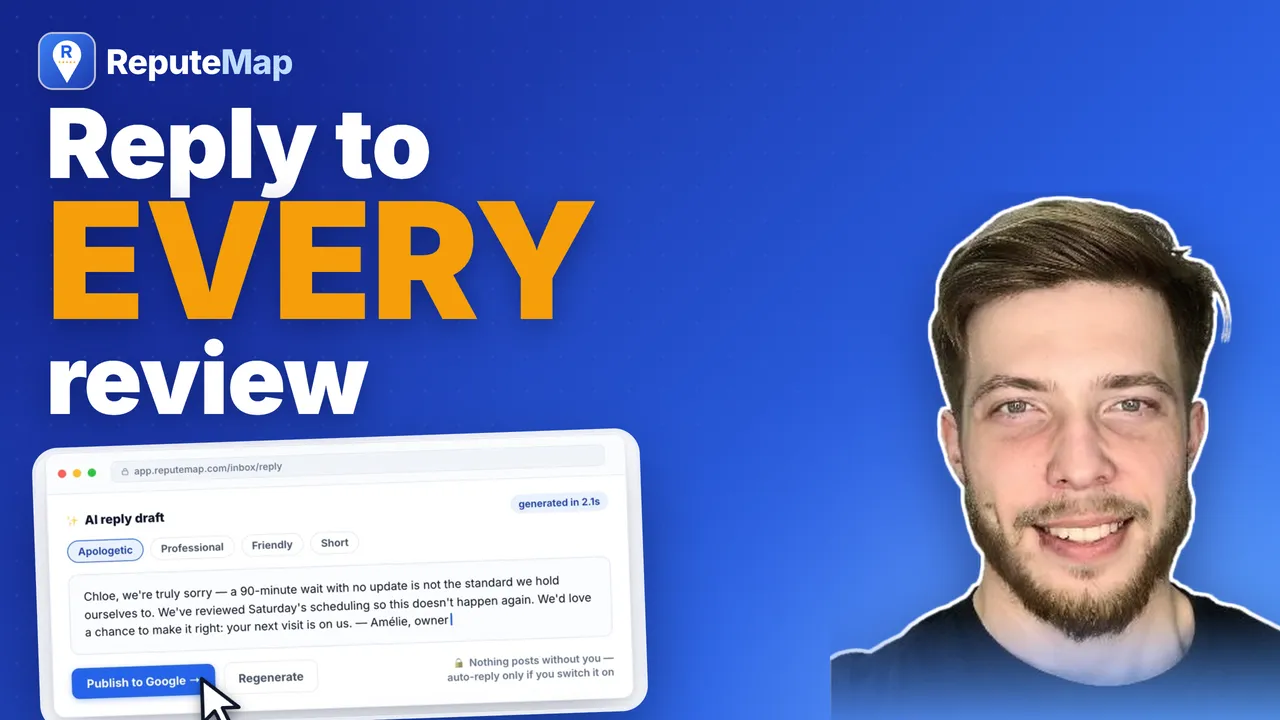
How to Respond to Google Reviews (Good, Bad and Fake) with Examples To respond to a Google review, reply to every one: fast, specific and short; ReputeMap drafts each reply for you to approve and publish to Google.
3:35 video · chapters:
- 0:00 How to respond to any Google review: the 3 rules
- 0:57 Where to reply: your Google Business Profile, step by step
- 1:19 How to respond to positive Google reviews (with examples)
- 1:40 How to respond to negative Google reviews (with examples)
- 2:26 How to respond to fake or suspicious Google reviews
- 2:51 Keep up with every review across locations (ReputeMap)
How to respond to a Google review, step by step
You can only respond as the business if your Google account is an owner or manager of the Business Profile, and Google says the business has to be verified before you can reply. There’s no way to post an owner reply from a personal account that isn’t added to the profile.
On a computer (Google Search):
- Sign in to the Google account that manages your Business Profile.
- Search your exact business name on Google (or just “my business”). Your profile opens with its management tools.
- Select Read reviews.
- Next to the review you want to answer, select Reply.
- Write your response, check the name and details, and select Reply to post it.
In Google Maps on a computer:
- Open Google Maps signed in to the managing account and search your business name.
- Scroll to Reviews on your profile, find the review and click Reply.
On your phone (Google Maps app):
- Open the Google Maps app, signed in to the managing account.
- Open your Business Profile. Depending on your app version it sits under a Business tab, or under your profile picture → Your Business Profile.
- Tap Read reviews (or Reviews), choose the review, and tap Reply.
You can also search your business name in the Google app or your phone’s browser and reply from the profile that opens, the same way as on a computer.
Your response appears publicly under the review, labeled “Response from the owner,” and the reviewer gets a notification. You can edit or delete your reply later, but you can’t reply twice to the same review. If the reviewer updates their review, your existing reply stays and can be edited to match.
If the Reply button isn’t there at all, it’s almost always a profile access or verification issue: here’s why the reply option goes missing and how to fix it.
You can’t reply by answering Google’s notification email: it only points you back to your profile. To answer from your inbox or phone instead, here’s every way to reply to Google reviews from email or phone, compared.
How long does a reply take to show up?
Usually up to 10 minutes. Google’s help page on managing customer reviews says every reply is checked against Google’s content policies first, that this “usually” takes up to 10 minutes, and that it sometimes takes up to 30 days. If your reply isn’t approved, Google asks you to edit it.
To see what the public sees, open your profile in a private (incognito) window. If a reply never shows up, rewrite it: drop links, promo codes, phone numbers in the middle of a thank-you, and any detail about the customer that they didn’t post themselves.
What to write for each star rating (with examples)
The star rating tells you the job. Here’s the short version:
| Rating | Your goal | Length | Always include | Leave out |
|---|---|---|---|---|
| 5★ | Thank them and show you read it | 1–3 sentences | Their name, one detail they mentioned | The same line you used yesterday |
| 4★ | Thank them and close the gap | 2–3 sentences | The detail they liked, the small gripe | Excuses about the gripe |
| 3★ | Win back a lukewarm customer | 2–4 sentences | What went well, what didn’t, what you’ll change | ”Sorry you feel that way” |
| 1–2★ | Show every future reader how you handle problems | 3–4 sentences | An apology, the fix, a direct contact | Arguments, customer details, offers |
| Stars only, no text | Acknowledge it | 1 sentence | Thanks (or an invitation to share more) | A long reply to nothing |
The examples below are made up, with invented business and customer names, to show the tone and length. Don’t copy them word for word: a reply works because it answers what that one customer wrote.
5-star reviews: thank them for something specific
Use their name, pick up one detail, and sign with a real name. That’s it.
Example review (★★★★★): “Booked a deep clean for our rental on short notice and Tasha’s team had it spotless by noon. They even found the TV remote we’d lost behind the couch.”
Example reply: “Maria, thank you! Tasha laughed when she read this; that remote clearly had a good hiding spot. Glad the place was ready in time for your guests.”
Dan, Brightside Cleaning
4-star reviews: thank them and fix the small thing
A 4★ review usually comes with one gripe. Name it plainly and say what you’re doing about it. Don’t explain why it happened.
Example review (★★★★☆): “Brisket was excellent. Took forever to get our check though.”
Example reply: “Thanks, Jordan! The brisket smokes for 14 hours, so we’re glad it showed. You’re right about the check, and we’ve added a second server on Friday nights so nobody waits at the end of the meal.”
Rosa, Smoke & Oak BBQ
3-star reviews: credit what worked, own what didn’t
A 3★ reviewer had a mixed visit and is often one good experience away from coming back. Start with what they liked, own the miss in one sentence, and say what changes.
Example review (★★★☆☆): “Brakes are fixed and the price matched the quote. But nobody called when the car was ready, I had to call twice.”
Example reply: “Hi Sam, thanks for the fair review, and glad the brakes and the price were right. Having to chase us for your car isn’t okay. We now call every customer the moment the work is done, and if anything feels off with the brakes, ask for me at the front desk.”
Mike, owner, Eastside Auto
1- and 2-star reviews: apologize, fix, take it offline
This is where a reply does the most good, because it shows prospects how you behave when something goes wrong. The framework that works almost every time:
- Respond fast. Within 24–48 hours; treat 1–3 star reviews as urgent.
- Acknowledge, don’t argue. “I’m sorry this fell short” beats “Actually, that’s not what happened” every time, even when you’re right.
- Stay specific but private. Reference the issue, then move the resolution offline: “I’d like to make this right. Please reach me directly at…”
- Never get defensive in public. The reply is for the audience, not just the reviewer.
- Show what changed, if anything. “We’ve since added a second front-desk shift on weekends” turns a complaint into proof you listen.
Example review (★☆☆☆☆): “Technician showed up three hours late without a call, and the AC still isn’t cooling.”
Example reply: “Priya, I’m sorry. A three-hour wait with no call is on us, and so is an AC that still isn’t cooling. Our service manager will call you today to book a return visit at a time that suits you. If you’d rather talk to me first, call the office and ask for Greg.”
Greg, owner, Northwind Heating & Air
The full playbook for the hard ones, including the HEART framework, is in how to respond to negative reviews, and there’s a separate guide for a customer who threatens a bad review before posting it.
Star ratings with no text
There’s nothing to quote, so keep it to one line, vary it from review to review, and don’t guess at what they meant.
Example reply to a 5★ rating with no text: “Thanks for the five stars, Alex. We’re glad the move went smoothly.”
Nina, Twin Rivers Movers
Example reply to a 2★ rating with no text: “Hi Chris, we’d like to know what went wrong so we can fix it. If you’re willing, call the office and ask for me.”
Nina, Twin Rivers Movers
What not to do when you reply
Most bad replies make one of these mistakes:
- Arguing about the facts in public. Even when you’re right, the next customer reads it as a business that fights its customers.
- Sharing private details. Order numbers, prices they paid, appointment dates, health information, anything they didn’t post themselves. In healthcare, law and other regulated fields, even confirming someone was a client can be a problem.
- Offering anything in exchange for changing or deleting a review. That breaks Google’s policies and the FTC’s rule on consumer reviews. Making things right is good business; paying for silence is a violation.
- Selling in the reply. No promo codes, “book now” links or specials. Google’s own tips say replies should be conversational, not promotional.
- Pasting the same reply everywhere. It reads as robotic, and repetitive content is one of the reasons Google rejects owner replies.
- Stuffing keywords. “Best plumber in Austin” in every reply helps no one and reads like spam.
- Waiting months. A reply to a year-old complaint looks like you only just noticed.
- Getting personal. No sarcasm, no “maybe you should have read the menu,” no guessing who the reviewer really is.
Google’s rules for owner replies
These come from Google’s own help pages for business owners:
- Only verified profiles can reply, through an owner or manager account (managing customer reviews).
- Google checks owner replies against its content policies before showing them. If Google doesn’t approve one, it asks you to edit it.
- The reviewer is notified when you reply, and can still change their review afterwards.
- Google’s tips for replies (tips to get more reviews): be professional and polite, keep it short and simple, make replies count instead of sending the same thank-you to everyone, and be conversational, not promotional.
- No incentives. Google lists offering free or discounted goods or services in exchange for customers posting, changing or removing reviews as fake and misleading content.
Copy-paste templates for every situation
When you want a starting point to edit, use these. Swap the brackets, keep it short, and never paste the same sentence under twenty reviews in a row.
Templates for positive Google reviews
Five for happy customers. The first fits almost any 5-star review; the fourth is for a 4-star review with a small gripe.
1. The specific thank-you (default for any 5-star review)
Thank you, [NAME]! We’re so glad [SPECIFIC THING THEY PRAISED] hit the mark. That’s exactly what we work hardest on. Hope to see you again soon.
[YOUR NAME], [BUSINESS]
2. The regular
[NAME], thank you! Seeing familiar faces come back is the best part of this job. We’ll keep [THING THEY PRAISED] exactly the way you like it.
3. The detailed review deserves a detailed reply
Wow, thank you for taking the time to write this, [NAME]. You noticed everything we hoped someone would: [DETAIL 1] and especially [DETAIL 2]. Reviews like this keep the team going. See you next time!
4. The 4-star with a small gripe
Thanks so much, [NAME]! Glad [POSITIVE DETAIL] worked out. You’re right about [THE GRIPE], and we’re on it. Hope we earn that fifth star next visit.
5. The short-but-sweet (“Great service.” ★★★★★)
Thank you, [NAME]! Short and sweet, just how we like it. Come back any time!
More positive-reply patterns by industry: restaurants, dentists, salons and spas, contractors, hotels, law firms, auto repair.
Templates for negative Google reviews
Five for the hard ones. Each follows the 1–2★ framework above: acknowledge, de-escalate, move it offline.
6. You were at fault (the honest apology)
Hi [NAME], I’m sorry about [THE SPECIFIC PROBLEM]. That’s not the experience we want anyone to have. We’ve [WHAT CHANGED, IF ANYTHING], and I’d like to make this right. Could you reach me at [EMAIL/PHONE]?
[YOUR NAME], owner
7. The facts are disputed (account, don’t argue)
Hi [NAME], thank you for the feedback. Our notes on [DATE/SITUATION] differ a bit from this, but that matters less than how it left you feeling. I’d rather sort it out directly than debate it here, so please reach me at [EMAIL/PHONE].
[YOUR NAME]
8. The vague 1-star with no comment
Hi [NAME], I’m sorry to see the one star. I can’t find the details of what went wrong, and I’d like to know. If you’re open to it, please email me at [EMAIL] so we can fix what needs fixing.
[YOUR NAME], owner
9. The wait / service-speed complaint
You’re right, [NAME]: [TIMEFRAME] is too long to wait, and I’m sorry. [WHAT YOU’VE CHANGED, e.g., “We’ve added a second tech to Saturday mornings.”] I hope you’ll give us another chance to show you the normal experience.
[YOUR NAME]
10. The problem you already fixed offline
Thank you for your patience while we sorted this out, [NAME], and for giving us the chance to make it right. Honest feedback, bumps included, is how we get better. We appreciate you.
[YOUR NAME], [BUSINESS]
How to respond to fake or suspicious Google reviews
A fake review (wrong business, a competitor, someone you’ve never served) needs a two-track response: a calm public reply for the audience, and a report to Google for the record.
Track 1: reply publicly, without accusing. You can’t prove bad faith in a comment box, and “this is FAKE” reads as defensive to the prospects scrolling by. State plainly that you have no record of the interaction and offer a direct channel.
Track 2: report it. From the same Reviews section, use the flag/report option on the review. Google removes reviews that violate its content policies (off-topic, spam, conflicts of interest, harassment), but not reviews that are merely negative. Expect the process to take days to weeks, and don’t count on removal; the public reply protects you either way. If the review might be part of a bigger problem, see why Google reviews disappear and what to do about reviews that never show up.
Templates for fake or suspicious Google reviews
11. No record of the customer
Hi [NAME], we take every review seriously, but we can’t find any record of your visit or service with us. If you’re sure this is the right [BUSINESS TYPE], please contact me directly at [EMAIL] so we can look into it.
[YOUR NAME], owner
12. Wrong business entirely
Hi [NAME], I believe this review may be intended for a different business, since we don’t [THING THE REVIEW DESCRIBES]. If we can help with anything, reach us at [EMAIL]; otherwise, we’d appreciate you double-checking the listing. Thank you!
13. Suspected competitor or bad-faith review
We take feedback seriously, but we have no record of this interaction and some details here don’t match how we operate. We’ve asked Google to review this post. If you’re a genuine customer, please contact me directly at [EMAIL]. I’d like to understand what happened.
[YOUR NAME], owner
14. Review about an employee who no longer works there
Hi [NAME], thank you for flagging this. The situation you describe involved a team member who is no longer with us, and the experience you had isn’t the standard we hold today. If you’re open to it, I’d love the chance to show you the difference: [EMAIL].
[YOUR NAME]
15. The rating-only 1-star you suspect is misplaced
Hi [NAME], we can’t match this rating to any visit or job in our records. If something did go wrong, I want to know about it: [EMAIL]. If this landed on the wrong business, no hard feelings. It happens more than you’d think.
One thing you should never do about fake reviews: fight fire with fire. Buying positive reviews to “balance out” fakes is a fast route to profile suspension: here’s what actually happens when businesses buy Google reviews.
Does responding to Google reviews help your ranking?
Three claims, in decreasing order of certainty:
- Google explicitly encourages it. Google’s own help documentation tells business owners that replying to reviews shows you value customer feedback, and that positive reviews plus helpful replies can make your business stand out (quoted with sources on our online review statistics page).
- Engagement is part of an actively managed profile. Review count, review recency, and profile activity are among the local ranking inputs Google acknowledges; a profile where the owner visibly participates reads as current and legitimate, to Google and to humans. The full picture of what moves local rank is in Google Maps ranking factors.
- The conversion effect is immediate and observable. Before anyone calls you, they scroll your reviews, and they read the angry 2-star review with your answer underneath it. A calm, specific response often does more for the next customer’s trust than the complaint does damage. No ranking algorithm required.
What replying does not do: it doesn’t change your star rating, and it doesn’t remove bad reviews. It changes what the next reader concludes about you, which is what the star rating was standing in for anyway.
Write the reply in 10 seconds (free generator)
Staring at a blank reply box is where most good intentions die. We built a free tool for exactly that moment: pick the star rating and tone, add the reviewer’s name and what they mentioned, and copy a ready reply. No signup; it runs entirely in your browser.
→ Open the free Google review response generator
It follows every rule in this guide: thanks by name, echoes the specific detail, de-escalates anything under four stars, and never suggests anything that would get you in trouble. Use it for the occasional review; the templates above for consistency; and ReputeMap’s AI drafts when the volume outgrows both.
Should you auto-reply to Google reviews?
For short, happy reviews, an automatic reply can work, as long as it reads like it was written for that review and arrives in the reviewer’s language. For 1–3★ reviews, keep a person on it: an automatic apology can promise what you can’t deliver, and a cheerful thank-you under a complaint is worse than no reply at all.
If you automate, check four things:
- It only answers new reviews. A tool that sweeps your backlog posts dozens of replies under your name at once.
- You choose which star ratings it answers. Thank-yous for 4–5★ are low-risk; complaints are not.
- Each reply is written for its review. The same sentence under every review is obvious to anyone scrolling.
- It replies in the reviewer’s language, the original’s language for a review Google translated.
Building it yourself with Zapier, Make or n8n, and why Google turns some automatic replies down, is covered in how to reply to Google reviews automatically.
In ReputeMap this is Auto-reply to new reviews, a switch in the review inbox on paid plans. It is off until you switch it on, answers only reviews written after that, and covers 4–5★ reviews by default, so a 1–3★ review still arrives as an alert with a drafted reply that waits for your Publish. Each automatic reply is the draft the inbox would show, in your saved tone and in the reviewer’s language: Spanish for a review in Spanish, German for one in German. The inbox marks it “Replied automatically”.
Knowing what to write is easy. Keeping up is hard
Knowing how to respond to a Google review is the easy part. The hard part shows up the moment you’re responsible for more than a handful of them:
- You don’t know a negative review exists until you happen to check the profile.
- Replies pile up across locations, and some go weeks unanswered.
- For agencies, every client means another Google Business Profile login.
- “Just reply faster” stops being advice and becomes a staffing problem.
This is the gap ReputeMap was built to close: Google review management for people who answer reviews at scale, meaning agencies managing client profiles, and multi-location operators who can’t watch every listing by hand.
You find out about bad reviews in minutes, not weeks, and the reply is already drafted. A new 1–3 star review triggers an email (and optionally instant alerts to Telegram or WhatsApp) to the right person in under five minutes. The email quotes a reply the AI has already drafted, and Review & publish reply → opens a personal, single-use link, valid for 7 days, to a page with no login: the review, the draft you can edit and one Publish to Google button. In a Telegram private chat, ✅ Publish draft posts the draft in one tap. On the free trial the reply is drafted inside the first 2 alerts; on paid plans, inside every alert.
AI drafts the reply, you keep control. One click generates 2–3 reply variants (short, warm and professional), grounded in the reviewer’s actual words and your saved tone and snippets, in the language the review was written in (how replying in other languages works). You edit, you approve, you publish. Nothing is posted to Google until a person taps Publish, unless you switch on Auto-reply to new reviews (paid plans, 4–5★ by default). When that’s worth doing, and when it isn’t: should you auto-reply to Google reviews?
Every location lives in one inbox. Filter by “needs reply,” draft, and publish straight to Google without logging into each profile. On Growth and above, SLA tracking flags anything that’s been waiting too long, so reviews don’t slip through across 5, 15, or 30 locations.
Your drafts are never lost. If Google’s API rejects or delays a reply, ReputeMap marks it “manual required,” preserves your text, and shows it copy-ready so you can paste it into Google Business Profile yourself. No rewriting, no lost work.
ReputeMap vs. the usual ways of responding
| Approach | Speed to reply | Multi-location / client | Reply quality | Risk of missing a review |
|---|---|---|---|---|
| Replying manually in Google Business Profile | Slow: you only see it when you log in | Separate login per location; painful | Good, but inconsistent across team | High: no alerts, easy to miss negatives |
| Generic copy-paste templates | Fast | Still manual per profile | Robotic, public copy-paste is obvious | High: still depends on you checking |
| ReputeMap | Replies in minutes; a 1–3★ alert from the 15-minute check | One inbox for every location & client | AI drafts in 3 tones, human-edited; Auto-reply for new 4–5★ reviews is opt-in (paid plans) | Low — alerts (and SLA tracking on Growth) catch every one |
And what changes the moment a 1–3★ review lands:
| When a 1–3★ review lands | Google Business Profile on its own | ReputeMap |
|---|---|---|
| Reply drafted inside the alert | No: Google’s email is a notice | Yes: the alert email quotes an AI draft |
| Publish a reply from the alert email (no login) | No: you sign in to your profile to reply | Yes: Review & publish reply → opens one Publish to Google button |
| Replies in the reviewer’s language | You translate it yourself | Yes: drafted in the language the review was written in |
| Posted without a person | Nothing | Nothing by default: a person taps Publish |
A note on honesty (and why it matters for your brand)
A lot of “review tools” push customers toward leaving public reviews only when they’re happy, and divert unhappy ones into a private feedback form. That’s review gating, and it runs against the FTC’s guidance on honest reviews. It also runs against common sense, because a profile with no negative reviews and a few suspiciously generic raves doesn’t fool anyone.
ReputeMap takes the other route. We help you collect more genuine reviews by asking everyone, through review request emails, a review link or a QR code, and we help you respond well to whatever comes back. No gating, no filtering, no hiding the hard ones. Your reputation is more durable when it’s real, and your replies are what make a few imperfect reviews look like a business worth trusting.
Start responding to reviews the right way
Good responses aren’t complicated: thank the happy customers, calmly address the unhappy ones, report the fake ones without feeding them, and never let any review sit unanswered. The discipline is the hard part, and that’s exactly what software is for.
A word on who needs it: if you run one location that gets a couple of reviews a month, you don’t need software for this. A weekly calendar reminder, the templates above, and the free generator cover it, and we’d rather tell you that than sell a subscription you’ll never open. The math flips once reviews arrive faster than you check, or once you’re answering for multiple locations or client profiles. (If that’s you and you’re wondering what else belongs in the routine, start with reputation management for small business.)
ReputeMap watches every location, alerts you to anything negative in minutes, drafts the reply in your voice, and lets you publish to Google in a click, with a safety net if Google ever balks. You don’t even need to connect Google to see it work: type your business name when you sign up, and ReputeMap pulls your recent Google reviews and drafts replies to two of them, your newest review and your newest one at 3★ or below. Plans start at $19/mo for one location (Solo) and $29/mo for up to 5 (Starter), scale to $39/mo for 15 (Growth) and $49/mo for 30 with full white-label reporting (Pro), and go up to 75 locations on Portfolio ($149/mo) and 200 on Network ($189/mo).
Frequently asked questions
How do I respond to a Google review?
Sign in to the Google account that manages your Business Profile, search your business name on Google, select Read reviews, pick the review and select Reply. Your response posts publicly under the review, labeled 'Response from the owner.' Only owners and managers of a verified Business Profile can respond. There is no way to reply from a personal account that isn't added to the profile.
How long does it take for my reply to show on Google?
Usually up to 10 minutes. Google checks every owner reply against its content policies first, and says that sometimes takes up to 30 days. If a reply isn't approved, Google asks you to edit it. Check from a private browser window to see what the public sees.
How do you respond to a positive Google review?
Thank the reviewer by name, echo one specific detail they mentioned so the reply doesn't read as boilerplate, and add a light invitation to come back. Two or three sentences is plenty. Avoid pasting the identical sentence under every 5-star review: replies are public, and the copy-paste pattern is obvious to anyone scrolling.
How do you respond to a 3-star Google review?
Thank them, name what went well, then own the part that didn't, in one plain sentence, and say what you changed or will check. A 3-star reviewer is often one good visit away from coming back, so keep it warm and short, and offer a direct way to reach you if the problem needs a conversation.
How do you respond to a negative review on Google?
Reply within 24-48 hours, acknowledge the specific problem without arguing, apologize or account for what happened, then move the resolution offline: 'I'd like to make this right. Please reach me at…'. Stay calm and brief; the real audience is every future customer reading how you handle criticism. Never share private details or offer anything in exchange for deleting the review.
How do I respond to a fake Google review?
Do both things: post a short, calm public reply stating you have no record of the interaction and inviting the person to contact you directly, and separately report the review to Google from the Reviews section if it violates content policies. Don't accuse the reviewer of lying in public, and don't count on removal. Google only removes policy violations, not bad experiences, so the measured reply is your real protection either way.
Does responding to Google reviews help SEO?
Google's own guidance to businesses says that replying to reviews shows you value customer feedback and can help your business stand out, and an actively managed profile is part of what Google calls engagement. Replies don't change your star rating, and nobody outside Google can promise a ranking jump, but responding is one of the few visibility signals fully under your control, and the conversion effect is immediate: prospects read how you handle criticism before they call.
Can you respond to Google reviews without a Business Profile account?
No. Only verified owners and managers of the Google Business Profile can post an owner response. If you manage reviews for clients or multiple locations, each profile needs your Google account added as an owner or manager, or you can use review management software like ReputeMap that publishes replies through Google's API once a profile is connected.
How fast should I reply to a Google review?
Under 24 hours for negative reviews, within a few days for positive ones. The practical obstacle is knowing a review exists at all: if you only see reviews when you happen to log in, a 1-star review can sit unanswered for weeks. ReputeMap alerts the responsible person by email (and optionally Telegram or WhatsApp) within about five minutes of a new 1-3 star review landing.
Should I use AI or templates to respond to Google reviews?
Yes, as a starting point, with a human edit before posting. Templates keep tone consistent and AI drafts save real time, but identical replies under every review read as robotic. ReputeMap drafts two to three reply variants grounded in the reviewer's actual words and your saved tone, then a person tweaks and approves. On paid plans you can also switch on Auto-reply to new reviews, which posts that draft to new 4–5★ reviews by itself, in the reviewer's language. For one-off replies, the free response generator on this site does the same job in your browser.
Can I reply to a Google review from my email?
Not through Google's own notification email: it only points you to your Business Profile, where you reply signed in to an owner or manager account. A review tool that publishes through Google's API can do it. In ReputeMap, the 1–3★ alert email quotes a reply the AI has already drafted, and Review & publish reply → opens a personal, single-use, 7-day link to a page with no login, the editable draft and one Publish to Google button. Nothing is posted until a person taps it.
How do I reply to a Google review in another language?
Reply in the language the review was written in: the original, not Google's translation, which is often marked (Translated by Google) with the customer's own words under (Original). For a star rating with no text, use the language you usually reply in. If you don't speak the language, write the reply in yours, translate it, and translate it back to check the meaning before you post.
Where can I find good Google review response examples?
This page has filled-in example replies for 5-star, 4-star, 3-star, 1–2-star and no-text reviews, plus 15 copy-paste templates: five for positive reviews, five for negative ones and five for fake or suspicious ones. For wording tuned to your industry, there are example sets for restaurants, dentists, salons, contractors, hotels, law firms and auto repair, and the free response generator drafts a reply from any review's star rating and details.
About the author
Founder, ReputeMap
I build and run ReputeMap. Before it, I spent 12+ years as a senior and lead software engineer on big-data systems and backend services.
Ready to manage Google reviews the smart way?
Agentic Reputation Platform for Multi-Location Brands. Start a 14-day free trial on any plan (card required). Setup takes about 3 minutes.
Start free trial