 Demo data
 Every location's reviews in one inbox
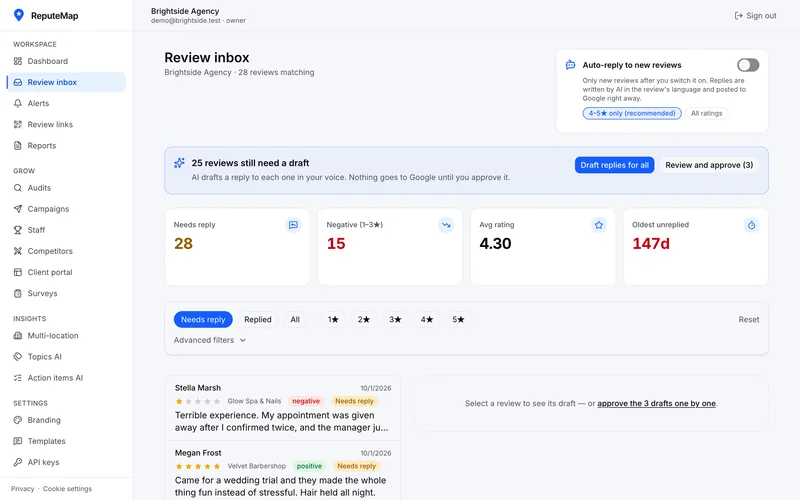
New Google reviews from all your locations land in one list. Filter by stars or location, and see which review has waited longest for a reply.
Thanks for installing. Pin the ReputeMap icon from the puzzle-piece menu in Chrome's toolbar, then open your business on Google Maps and click it.Pin the ReputeMap icon from the Extensions menu (the puzzle piece) in Edge's toolbar, then open your business on Google Maps and click it.The ReputeMap button is in Firefox's toolbar: open your business on Google Maps and click it.The ReputeMap button is in Safari's toolbar: open your business on Google Maps and click it. If Safari asks, allow it on that page.
Sorry to see it go. What didn't work? Write to yaro@reputemap.com.
Free Chrome extension
ReputeMap: Google Review Link & QR Code is a free Chrome extension that gets the direct Google review link for any business on Google Maps. Open the business, click the icon, and copy the link or its Place ID, download a QR code or print review cards. The link is built on your computer from the page's address: no Google API, no account, nothing sent anywhere.
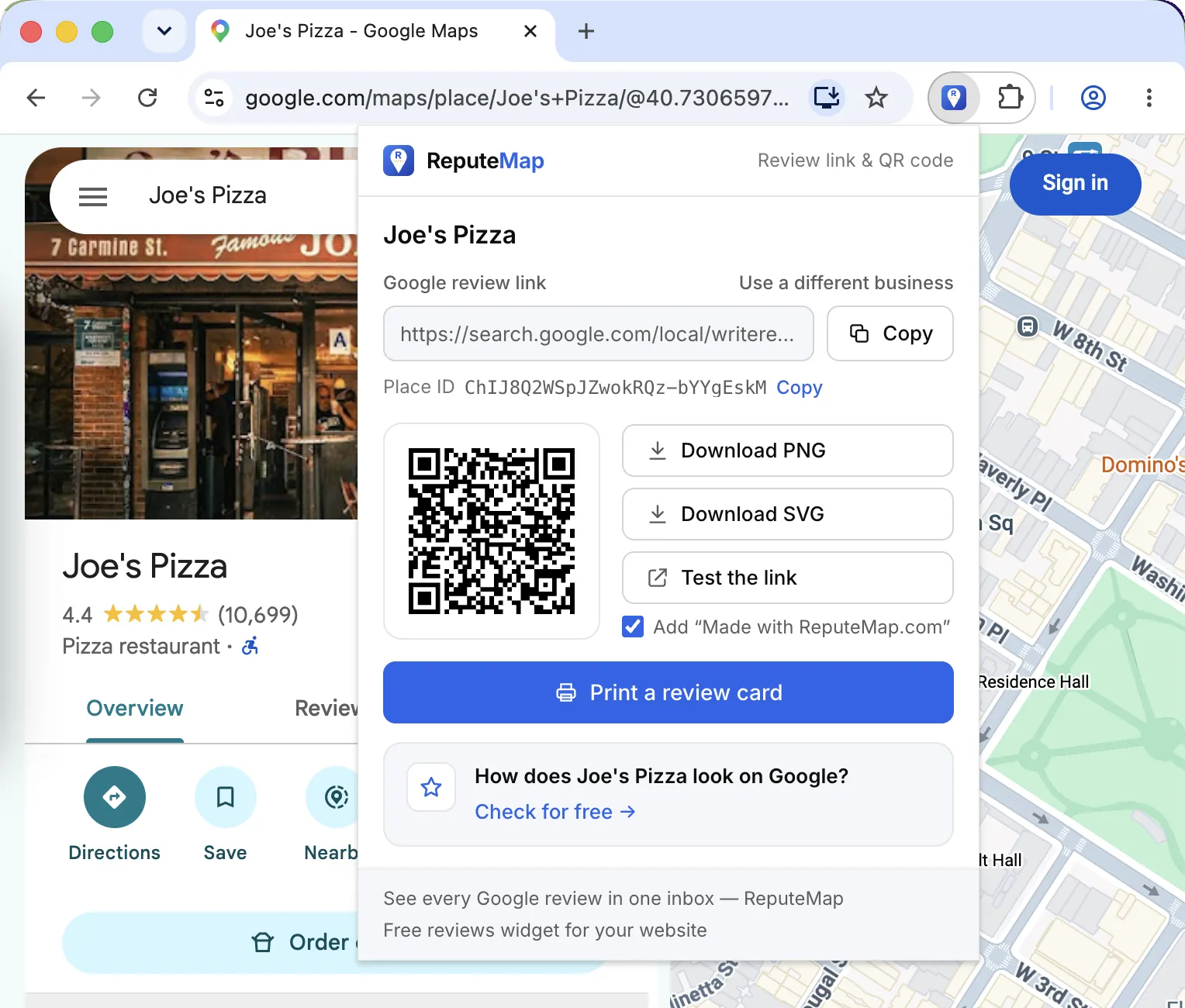
Everything below comes from one click on a business's Google Maps page.
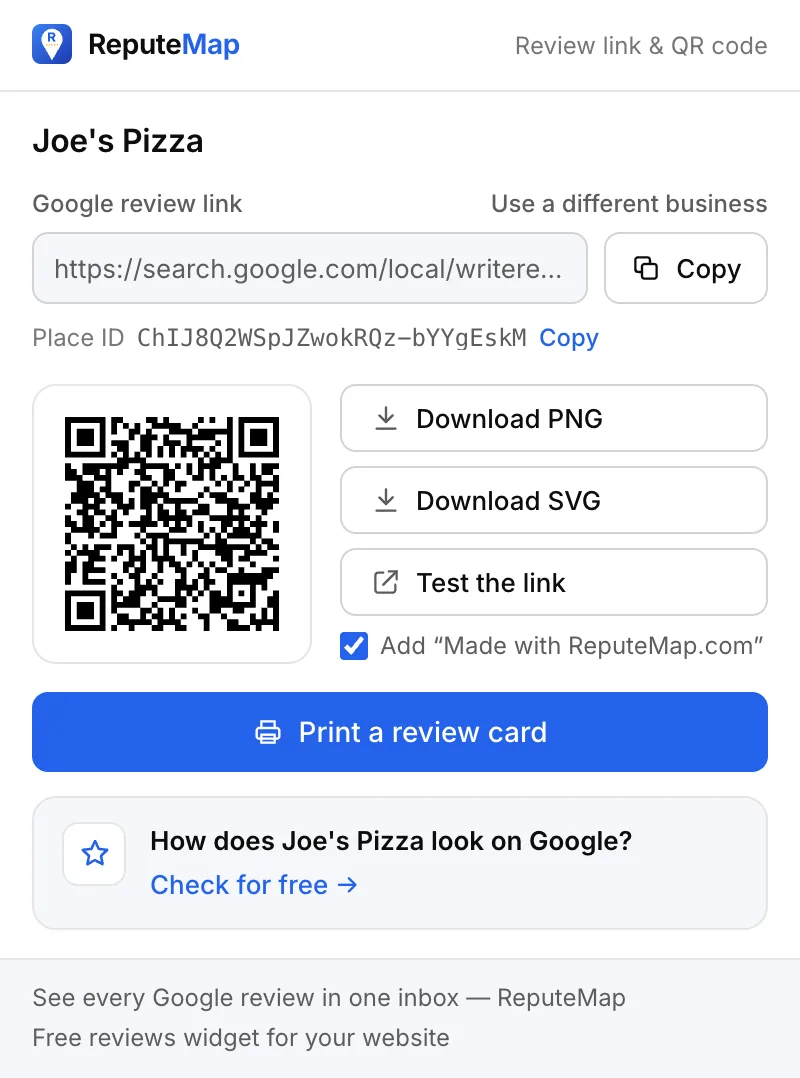
search.google.com/local/writereview?placeid=…, copied in one click. It opens the business's "write a review" form directly.
The ChIJ… ID Google gives the listing, for any tool or form that asks for it.
PNG (about 1000 px) or SVG, which stays sharp at any print size. A small gray "Made with ReputeMap.com" line goes under the code; untick it to leave it off.
Opens the review form in a new tab, so you see what your customers will see before you share it.
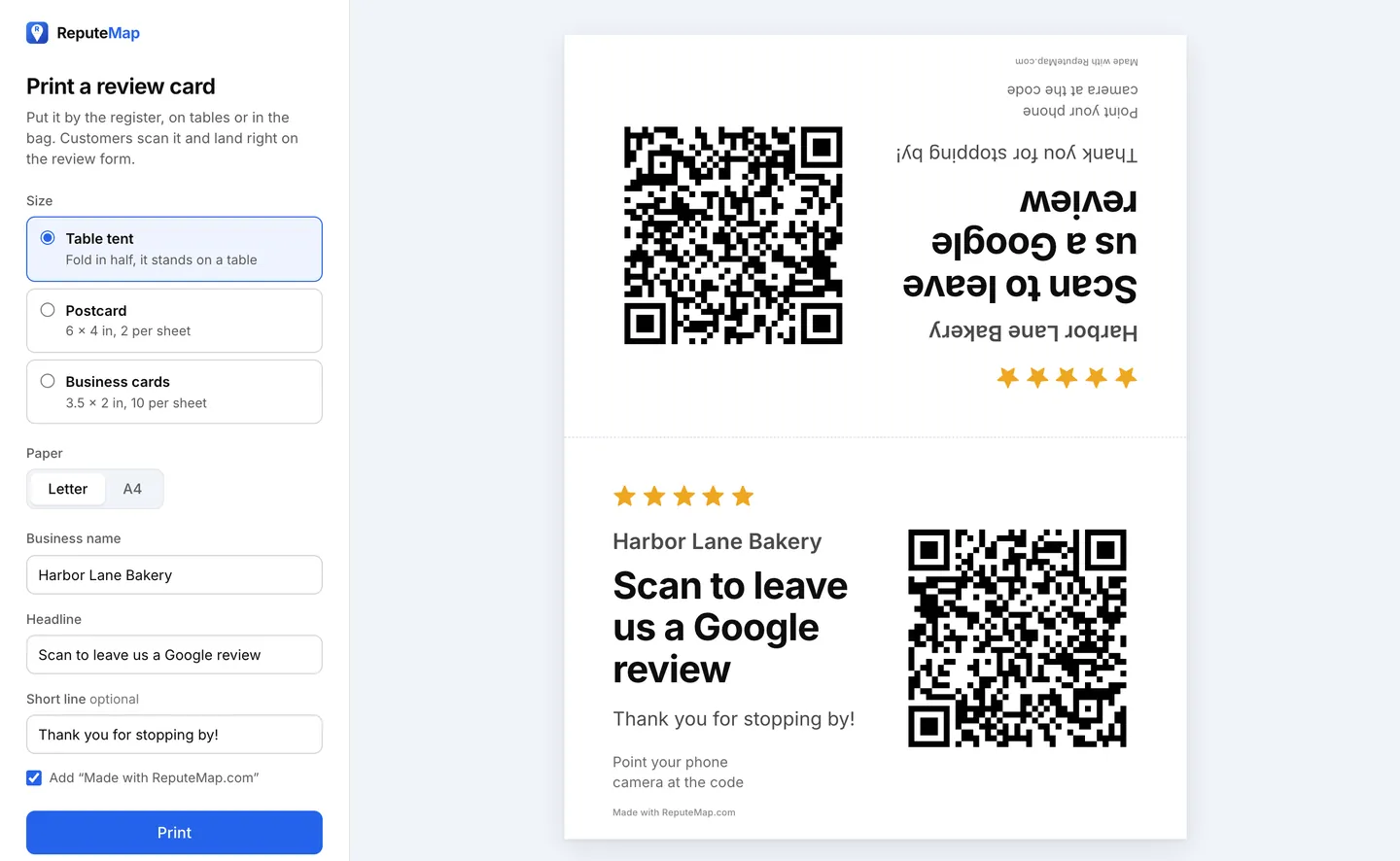
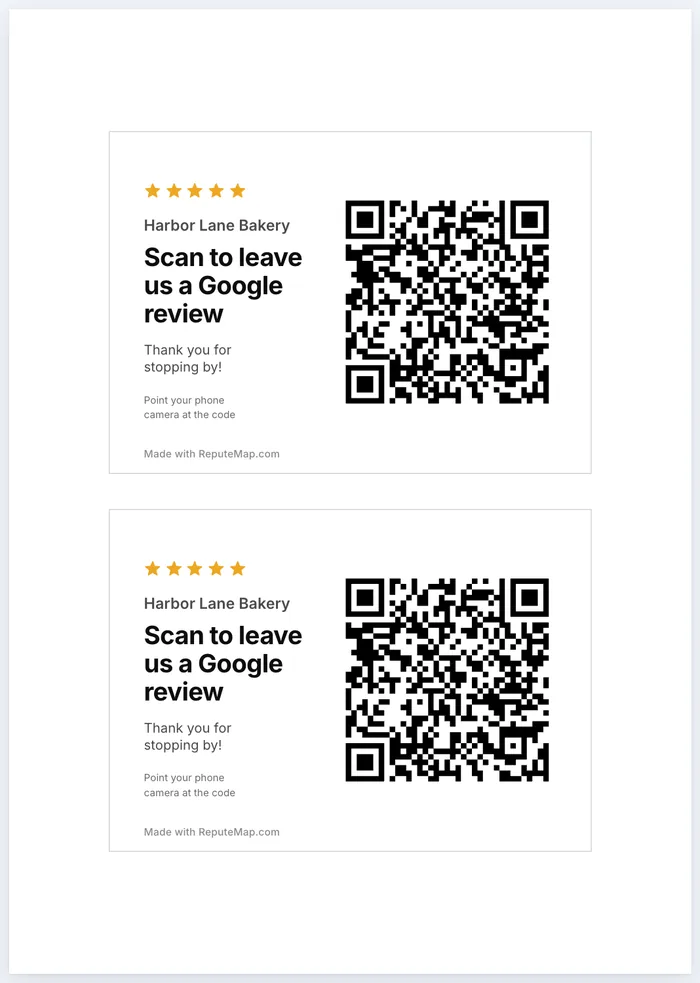
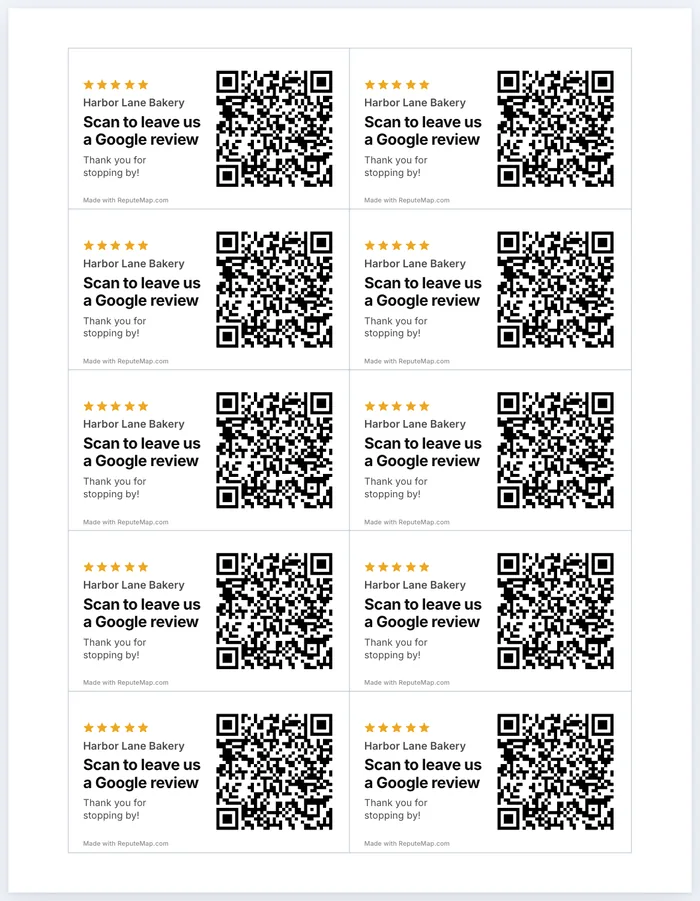
A table tent, postcards or business cards, on US Letter or A4.
Opens reputemap.com with that business's Google rating and reviews. Only if you click it.
The link opens Google's "write a review" form for that business directly, so customers don't have to search for you and scroll to the reviews.
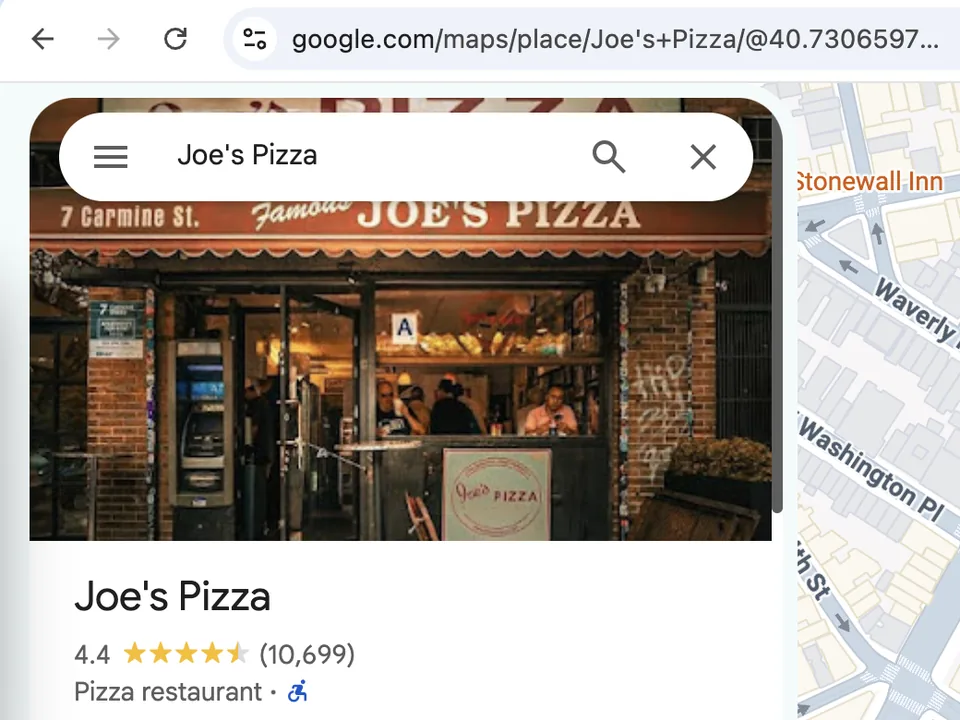
Yours or a client's, in Chrome on a computer. Search for it and click it, so its listing opens.
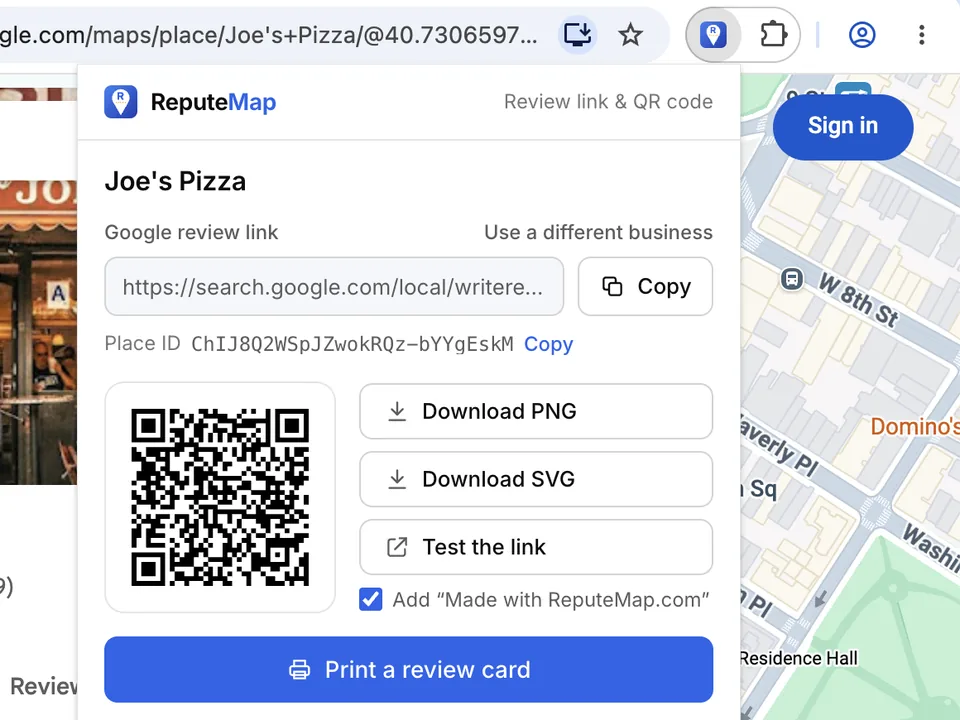
Pin it once from the puzzle-piece menu and it stays in the toolbar. The popup opens with the link already built.
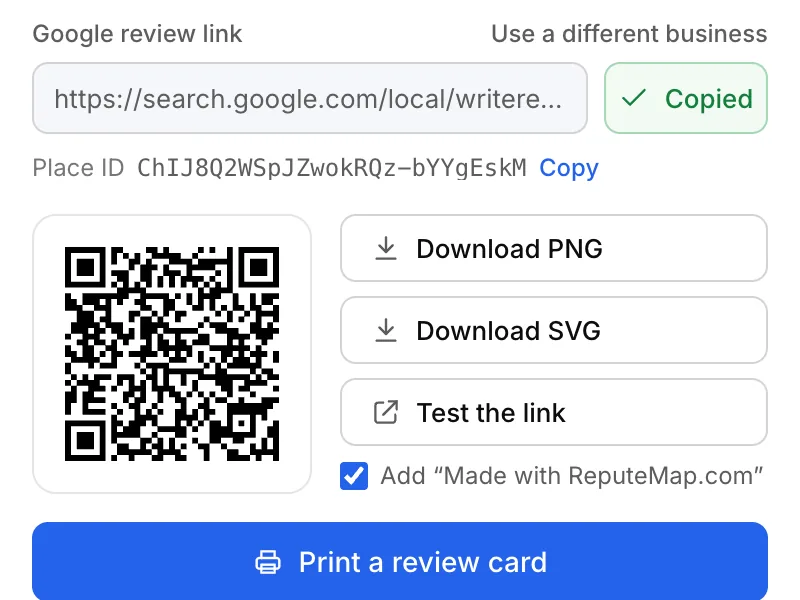
Paste the link into a text, an email or an invoice. Save the QR code, or print cards for the counter.
Ways to use the link, and what to say when you ask, are in our guide to getting more Google reviews. Add it to Chrome.
Print a review card opens a card editor. Pick the size and the paper, edit the business name, the headline (in any language) and a short line, then print.
| Card | Size | Per sheet | Where it goes |
|---|---|---|---|
| Table tent | A whole sheet, folded in half so it stands | 1 | Tables, the counter, reception |
| Postcard | 6 × 4 in on Letter, 148 × 105 mm on A4 | 2 | Bags, deliveries, the till |
| Business cards | 3.5 × 2 in on Letter, 85 × 55 mm on A4 | 10 | Handing out after a job |
For a print shop, choose Save as PDF in the print dialog. Print at 100% scale on card stock. The small "Made with ReputeMap.com" line on the card is optional. Cards, stands and NFC tags compared: Google review cards.
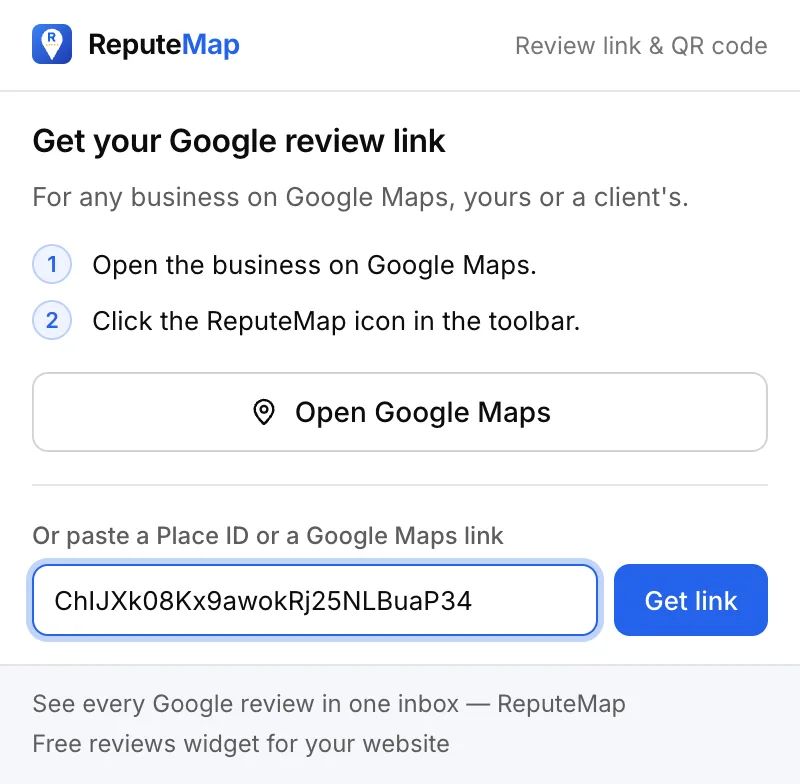
Every business on Google Maps has a Place ID, a code that starts with ChIJ. Review links,
QR generators and many booking and marketing tools ask for it.
place_id link or an existing Google review link. You get the same link, QR code and cards.
If the popup can't use what you pasted, it says why.
How the link is built. A Google Maps business address carries the place's feature ID, two
hexadecimal numbers (0x…:0x…). The Place ID is the same two numbers packed into a few bytes and
written in base64, so the extension converts one into the other on your computer. No Google API, no
server, no account.
What it asks Chrome for
"permissions": ["activeTab"]
maps.app.goo.gl link doesn't show
the business until it's opened. Open it in the tab, then click the icon.
All of these make the same kind of link to the same Google review form. Pick by where you are.
| If you're… | Use |
|---|---|
| On the business's Google Maps page, in Chrome on a computer | This extension: it reads the Place ID from the page. |
| On a phone, or in a browser without extensions | The review link generator: paste a Place ID or a review link. |
| After a styled QR code, a poster or a sticker sheet | The QR code generator: colors, shapes and print templates. |
| The profile's owner, after Google's own short link | "Ask for reviews" in your Business Profile gives a g.page/r/… link and a QR code. |
Free extension vs ReputeMap
A review link brings reviews only when someone sends it: to every customer, every week, at every location. The extension stops at the link. ReputeMap does the asking, watches what comes back and drafts your replies.
| Feature | Chrome extensionFree | ReputeMapFrom $19/mo, 14-day trial |
|---|---|---|
| Review link and QR code | Any business on Google Maps | A tracked link and QR code per location |
| Printable review cards | Table tent, postcards, business cards | QR codes to print, per location |
| Sending the link | You send it yourself | Email review requests to every customer; campaigns with reminders from Growth |
| Clicks and scans | Not counted | Counted for every link and QR code |
| New reviews | Not shown | Every location's Google reviews in one inbox |
| Replies | No | AI drafts in the reviewer's language, for you to approve and publish |
| 1–3★ alerts | No | Email, Telegram or WhatsApp, the day the review lands |
| Reports | No | PDF reports per location or for all of them |
| Reviews widget for your site | No | On every plan, without our link |
In most chains one location answers every review within a day and another leaves them for weeks. ReputeMap puts them side by side, and on Growth and up a dashboard shows each location's reply rate and response time.
Demo data New Google reviews from all your locations land in one list. Filter by stars or location, and see which review has waited longest for a reply.
 Demo data
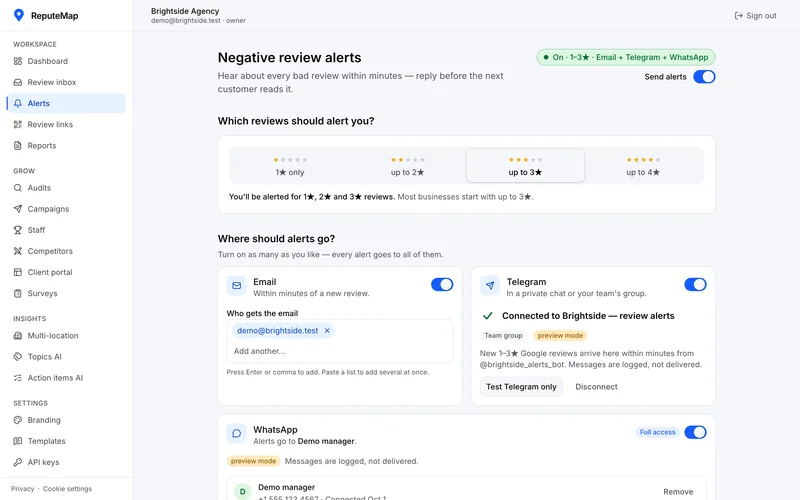
 By email, Telegram or WhatsApp, with the review text and a way to reply. No bad review sits unseen for a week.
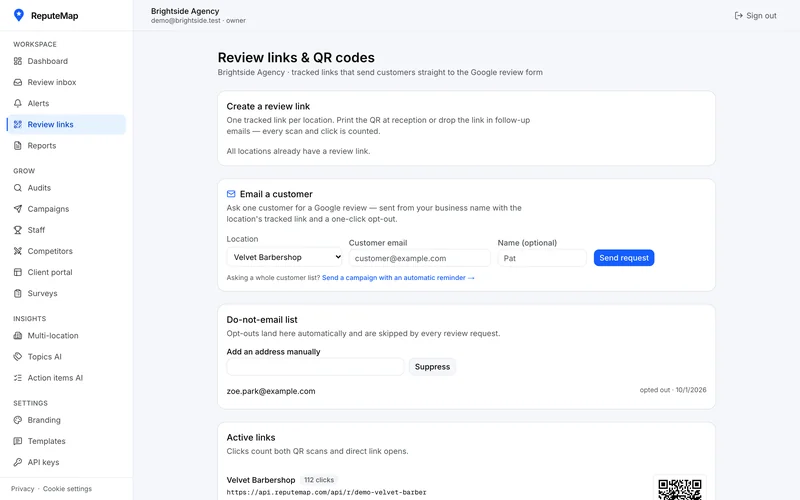 Demo data
 Email the same link to every customer and print a QR code per location. Each click and scan is counted, and opting out takes one click.
Try it on your own locations
Connect your Google Business Profile and see every location's reviews, the replies still owed and the 1–3★ reviews nobody answered. Setup takes about 3 minutes.
Card required, cancel anytime. Plans from $19/mo, locations included. See every plan.
Just want reviews on your website? Get the free reviews widget: one location, no card.
Something else? Write to yaro@reputemap.com.
Yes. It's free, with no account, no trial and no card, and it works without a ReputeMap account. After you copy a link, download a QR code or print a card, it may suggest trying ReputeMap, at most once every 3 days. Close the suggestion and it's gone.
Open the business on Google Maps in Chrome, click the ReputeMap icon in the toolbar and press Copy. The link is the direct search.google.com/local/writereview?placeid=… address, which opens the business's Google review form without any searching.
Yes. The popup shows a QR code for the review link, which you can download as a PNG (about 1000 px) or an SVG that stays sharp at any print size. Print a review card from the same popup: a table tent, postcards or business cards, on US Letter or A4.
Open the business on Google Maps and click the ReputeMap icon. The Place ID, which starts with ChIJ, sits under the review link with its own Copy button. The extension reads it from the page's address, so there's nothing to look up.
No. It asks only for the activeTab permission: it reads the address and title of the tab you click it on, at that moment, and builds the link on your computer. There's no Google API call, no analytics and no tracking. Nothing leaves your browser unless you click one of the popup's links: the free check, for example, opens reputemap.com with that business's Place ID and name.
Yes. It works for any business listing on Google Maps, yours or a client's. Building a review link doesn't need access to the Business Profile, so agencies can make links, QR codes and cards for every client.
Not on a phone: Chrome on phones doesn't run extensions, so use the free review link generator on reputemap.com there. On a computer it needs Chrome 105 or newer. Microsoft Edge can add it from the Chrome Web Store once you allow extensions from other stores, which Edge offers on the store page.
ReputeMap asks your customers for reviews by email and QR code, puts every location's reviews in one inbox, drafts your replies and alerts you when a 1–3★ review lands.
Start your 14-day free trialCard required, cancel anytime. Plans from $19/mo, locations included.
Or start with the free reviews widget: one location, no card